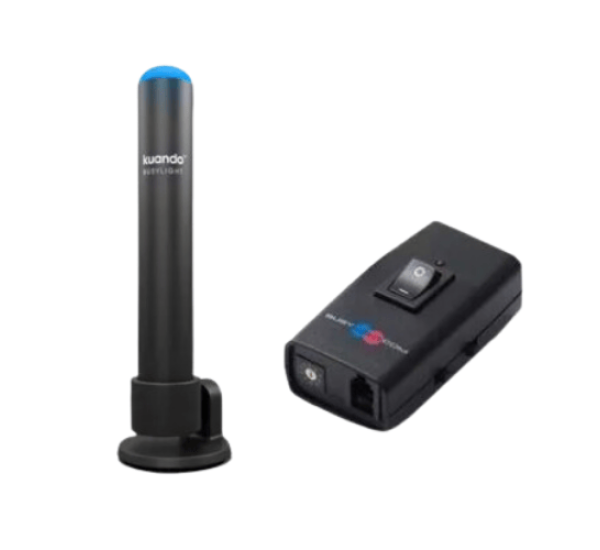
kuando Busylight Combi for Desk Phones & Headsets
Specification
| Feature |
Description |
| Compatibility |
Works with 90% of desk phones and headsets; not compatible with Bluetooth headsets, PC softphones, USB headsets, or mobile phones. |
| Connection Interface |
Connects via RJ-9 handset or headset port. |
| Indicators |
- Red light: Automatically activates during phone calls.
- Blue light: Manually activated for "Do Not Disturb" mode.
|
| Cable Length |
6 feet (approximately 1.8 meters). |
| Mounting Options |
Flexible mounting with adhesive tape or magnetic solutions; 180-degree rotating design for various surfaces. |
Description
The Kuando Busylight Combi is a visual indicator designed to minimize workplace interruptions by signaling an individual's availability status when using desk phones and headsets. It automatically displays a red light during active calls and offers a manual switch to activate a blue light for "Do Not Disturb" mode, allowing users to focus without disruptions. Compatible with 90% of desk phones and headsets, the Busylight Combi connects directly via the RJ-9 handset or headset port. However, it is not compatible with Bluetooth headsets, PC softphones, USB headsets, or mobile phones. The device features a 6-foot cable for flexible placement within the workspace.
Key Features:
- Visual Presence Indicator: Clearly shows when you are on a call or busy to prevent interruptions.
- Audio Notifications: Plays ringtones and alerts to notify of incoming calls.
- Multi-Platform Compatibility: Works with most desk phones and headsets.
- Customizable Colors and Sounds: Personalize alerts and status colors.
- Easy Installation: Plug-and-play with no additional software required.
- USB Powered: Convenient connection to your computer or phone system.
- 360-Degree Visibility: LED lights are visible from all angles.
Where It Can Be Used:
- Offices: To signal when you are on a call or busy.
- Home Offices: Ideal for remote work environments to reduce interruptions.
- Call Centers: Helps colleagues identify availability at a glance.
- Shared Workspaces: Visually indicates your call status to others.
Installation Steps:
- Unbox and Inspect: Make sure all components are present.
- Connect to Phone or Headset: Use the provided USB cable or adapter.
- Plug into USB Port: Power the device through your computer or a USB power source.
- Test Functionality: Make a test call to verify lights and sounds are working.
- Customize Settings (if applicable): Adjust colors and tones to your preference.
User Experience:
- Enhanced Focus: Minimizes interruptions by clearly signaling your status.
- Efficient Communication: Colleagues instantly know whether you are available or busy.
- Personalization: Tailor visual and audio alerts to suit your preferences.
- Reliable Performance: Durable design with consistent visual and audio cues.
Why Choose Kuando Busylight?
- Boosts Productivity: Reduces unnecessary interruptions during calls.
- Professional Image: Maintains a professional atmosphere, especially in shared spaces.
- Easy to Use: Quick setup with minimal configuration.
- Highly Compatible: Works seamlessly with most modern desk phones and headsets.
- Cost-Effective Solution: Saves time and enhances communication efficiency.
Buy kuando Busylight Combi for Desk Phones & Headsets at the Best Price from Datacom BD Online
In Bangladesh, you can get original kuando Busylight Combi for Desk Phones & Headsets From Datacom. We have a large collection of latest kuando Busylight to purchase. Order Online Or Visit our Office to get yours at lowest price. The kuando Busylight Combi for Desk Phones & Headsets comes with 1-year warranty.
Get in Touch with Datacom Technologies (BD)
- ? Call/WhatsApp: 01748173213
- ✉ Email: sales@datacomtechbd.com | datacomtechnologiesbd@gmail.com
What is the price of kuando Busylight Combi for Desk Phones & Headsets in Bangladesh?
The latest price of kuando Busylight Combi for Desk Phones & Headsets is 9,000৳. You can buy the kuando Busylight Combi for Desk Phones & Headsets at best price from our website visit of our Office.
-750x250.png "Datacom Technologies (BD)")