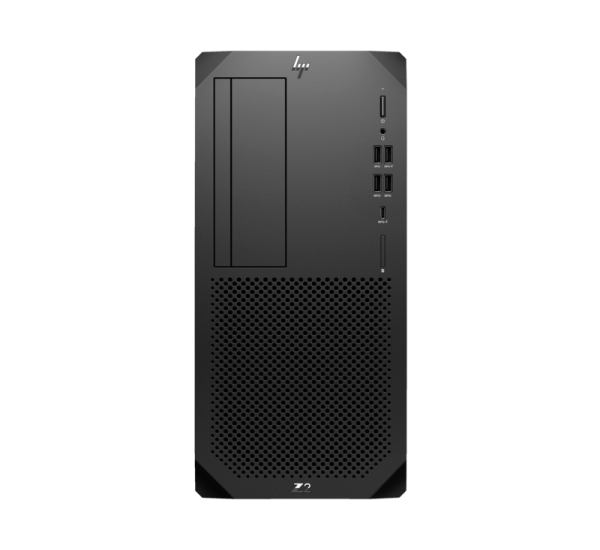
HP Z2 Tower G9 Workstation (B98P7PT) Price in Bangladesh
The HP Z2 Tower G9 Workstation (B98P7PT) is a powerful professional-grade desktop engineered for engineers, designers, architects, and content creators who need high stability and extreme performance. Powered by the latest Intel Core i9 12th Gen / high-end workstation-class CPU options, this machine is built to handle intensive workloads such as 3D rendering, CAD design, simulation, and video production with ease.
In Bangladesh, this workstation is widely used in corporate environments, IT firms, and creative studios due to its reliability, upgrade flexibility, and ISV certification for professional software.
Full Specification of HP Z2 Tower G9 Workstation (B98P7PT)
- Processor: Intel Core i9 / Intel Xeon (Workstation configuration options available)
- Architecture: 12th Gen Intel performance platform
- Memory: Up to 128GB DDR5 RAM (ECC / Non-ECC support depending on config)
- Storage: NVMe M.2 SSD + SATA HDD expansion support
- Graphics: NVIDIA RTX / Quadro workstation GPU support
- Chipset: Intel W680 Workstation Chipset
- Operating System: Windows 11 Pro / Linux Compatible
- Expansion Slots: Multiple PCIe Gen4 slots for GPU, storage & networking
- Ports: USB 3.2, USB Type-C, DisplayPort, HDMI, LAN
- Power Supply: High-efficiency enterprise PSU
- Form Factor: Tower Workstation (Tool-less upgrade design)
- Security: HP BIOSphere, Secure Boot, TPM 2.0
- Certification: ISV Certified for AutoCAD, SolidWorks, Adobe Suite, etc.
This configuration is designed for continuous heavy workloads without performance drop or overheating.
Best Application For HP Z2 Tower G9 in Bangladesh
The HP Z2 Tower G9 Workstation (B98P7PT) is ideal for professional and industrial usage:
- 3D Modeling & Rendering (Blender, 3ds Max, Maya)
- CAD Engineering & Architecture (AutoCAD, Revit, SolidWorks)
- Video Editing & VFX (Adobe Premiere Pro, After Effects, DaVinci Resolve)
- Software Development & Virtual Machines
- AI / Machine Learning Workloads
- Data Science & Simulation Tasks
- Corporate Office & Server-Level Computing
This workstation is especially popular in Bangladesh among engineering firms, outsourcing companies, and design agencies.
How to Install HP Z2 Tower G9 Workstation
Installation is simple and user-friendly:
- Unbox the workstation carefully
- Place the tower in a well-ventilated area
- Connect power cable to PSU
- Attach monitor via DisplayPort / HDMI
- Connect keyboard and mouse
- Power on the system
- Install Windows 11 Pro or preferred OS
- Install HP drivers and GPU software
- Configure BIOS settings if needed
For enterprise setup, professional IT installation is recommended for optimal configuration.
Compatibility Devices
The HP Z2 Tower G9 Workstation supports a wide range of professional hardware:
- NVIDIA RTX & Quadro workstation GPUs
- High-resolution 4K/8K monitors
- External storage (NAS, SSD, HDD arrays)
- VR headsets & simulation equipment
- RAID controllers & PCIe expansion cards
- Professional audio/video devices
- Network and server-grade peripherals
This makes it highly flexible for future upgrades.
Where to Buy HP Z2 Tower G9 Workstation in Bangladesh
-750x250.png "Datacom Technologies (BD)")