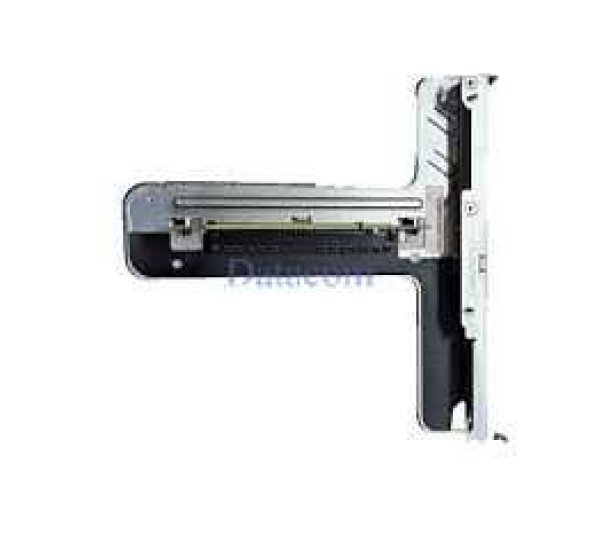
Lenovo ThinkSystem SR Series PCIe Riser Card
The Lenovo ThinkSystem SR Series PCIe Riser Card is a critical server expansion card, PCIe riser board, I/O expansion module, and slot extension adapter designed for Lenovo ThinkSystem rack servers such as SR630, SR650, SR530, SR550, and SR665. This component allows additional PCIe slots to be added to the server, enabling expansion for GPUs, RAID controllers, network cards, and other enterprise add-ons.
The ThinkSystem PCIe riser card is essential for maximizing server scalability, allowing businesses in Bangladesh to upgrade their systems without replacing the entire server.
Full Specifications of Lenovo ThinkSystem SR Series PCIe Riser Card
- Brand: Lenovo
- Product Type: PCIe Riser Card / Expansion Board
- Supported Interface: PCI Express (PCIe Gen3 / Gen4 / Gen5 depending on model)
- Slot Configuration:
- x8 / x16 PCIe slots
- Low-profile or full-height variants
- Compatible Servers:
- Lenovo ThinkSystem SR630 / SR650 / SR530 / SR550 / SR665
- Installation Type: Mounted on motherboard or via cable connection
- Expansion Support:
- GPUs
- RAID Controllers
- Network Interface Cards (NIC)
- Fibre Channel HBAs
- Form Factor: Server-specific modular design
- Condition: New / Refurbished available
- Warranty: 1 Year
???? Many ThinkSystem servers support multiple riser cards (up to 3 or more) to expand PCIe slots for additional hardware.
Key Features & Benefits
- Expand PCIe Slots – Add more devices without replacing the server
- Flexible Configurations – Supports x8/x16 slot combinations
- High-Speed Connectivity – PCIe Gen3/Gen4/Gen5 bandwidth
- Scalable Design – Supports multiple risers in one server
- Enterprise Reliability – Designed for continuous data center operation
Best Applications for Lenovo ThinkSystem PCIe Riser Card in Bangladesh
This riser card is widely used in enterprise environments:
- Data Centers & Enterprise Servers – Expand server capabilities
- AI & GPU Computing – Install GPUs like NVIDIA Tesla
- Storage & RAID Expansion – Add RAID/HBA controllers
- Networking Upgrades – Install 10GbE / 25GbE / 40GbE NICs
- Cloud & Virtualization Platforms – Increase compute flexibility
- Server Upgrade & Maintenance – Cost-effective scalability
How to Install Lenovo ThinkSystem PCIe Riser Card
Follow these steps for installation:
- Power Off the Server
Disconnect all power cables. - Open Server Chassis
Access internal PCIe area. - Locate Riser Slot or Connector
Identify riser mounting position on motherboard. - Install Riser Card
Insert riser into connector or attach via cable. - Secure the Riser
Fix it properly using brackets or screws. - Install PCIe Devices
Insert GPU, NIC, or RAID card into riser slots. - Power On & Configure
Verify detection in BIOS/OS.
⚠️ Some risers require dual CPU configuration to enable all slots.
Compatibility Devices
The Lenovo ThinkSystem SR PCIe Riser Card supports:
- Lenovo ThinkSystem SR630 / SR650 / SR530 / SR550 / SR665
- PCIe GPUs (NVIDIA Tesla, etc.)
- RAID Controllers (ThinkSystem RAID Series)
- Network Cards (10GbE / 25GbE / 100GbE)
- Fibre Channel HBAs
- PCIe SSD / NVMe expansion cards
Where to Buy Lenovo ThinkSystem SR Series PCIe Riser Card in Bangladesh
Get the Lenovo ThinkSystem SR Series PCIe Riser Card from authorized Datacom Technologies (BD)—100% genuine with full warranty and support.
Buy Lenovo ThinkSystem PCIe Riser Card at Best Price in Bangladesh from Datacom
You can get original Lenovo ThinkSystem PCIe Riser Card from Datacom. We have a large collection of latest server expansion cards, risers, and enterprise components available for purchase. Order online or visit our Datacom shop at Elephant Road, Dhaka to get the best price. The Lenovo PCIe Riser Card is available with a 1-year warranty.
Why Choose Datacom Technologies (BD)?
- Trusted supplier of enterprise server components
- 100% genuine Lenovo products
- Competitive pricing in Bangladesh
- Expert technical support
- Fast delivery service nationwide
Get in Touch with Datacom Technologies BD
-750x250.png "Datacom Technologies (BD)")